← Blog · 📝 Article · 7 September 2026
Exchange Trading Integration: 3 Pillars for DonkeyRadar Lay Automation

Exchange trading integration is achievable for any bettor comfortable writing a script, and it rests on three pillars: authentication, market data, and order placement. Betfair’s API grants access through an app key and session token, then hands you the market data and execution calls you need to turn a signal into a bet. Your first move should be requesting developer access or pulling a sample signal feed from a lay betting signal provider to see the shape of the data you’ll be mapping.
TL;DR:
- Use delayed keys for testing and switch to live keys only after rate-limit stability is confirmed over a full race day.
- Always include both
X-ApplicationandX-Authenticationheaders in every API request to avoid rejection.- Subscribe to the Exchange Stream API for real-time updates to reduce throttling risks, especially when monitoring many markets.
- Round-trip signal resolution involves
listMarketCatalogueto getmarketId,listMarketBookto check prices, thenplaceOrdersto bet.- Run initial strategies on paper or with delayed keys for at least a week before risking real money and always maintain manual override options.
Table of Contents
- Quick integration checklist before you write any code
- The headers and endpoints that actually move your bet
- Streaming versus polling: picking the right update method
- Placing bets reliably: order types and error handling
- Keep strategy logic separate from your execution layer
- Deployment checklist: keeping a live bot safe
- How DonkeyRadar fits into an automated pipeline
- Get started building your integration
- Where to go for the technical detail
- Sources
Quick integration checklist before you write any code
Get the plumbing right before you touch a line of strategy logic. Most integration failures trace back to a missed step in setup, not a bug in the code.
- Fund and register an account. You need a live Betfair account and an application key from the developer programme.
- Choose delayed or live keys. Delayed keys are free and fine for testing; live keys carry a subscription cost and are required for real-time execution.
- Handle certificates. Non-interactive (bot) login needs an SSL certificate generated and uploaded to your account settings.
- Pick a language and SDK. Python developers commonly use betfairlightweight to handle session management and JSON-RPC calls without reinventing the wheel.
- Pull sample signals. Grab a batch of published lay betting signals and map each one to a
marketIdandselectionIdso your lookup logic has real data to test against.
Skipping the certificate step is the single most common stumbling block. Interactive login works fine in a browser but will not sustain an unattended bot session.
The headers and endpoints that actually move your bet
Every single request to the Exchange API must carry two headers: X-Application (your app key) and X-Authentication (your session token). Miss either one and the API rejects the call outright, regardless of how correct the rest of your payload is, a detail confirmed in Betfair’s own developer documentation.
Once authenticated, three endpoints carry almost the entire workload of a lay-betting integration:
listMarketCataloguefinds the market and returns each runner’sselectionId, the identifier you’ll match against a DonkeyRadar signal.listMarketBookreads the live back and lay queues, so you can check the price on offer before committing.placeOrderssubmits the actual instruction to lay the horse.
That is the minimal endpoint set most integrations need: catalogue lookup, book read, order placement.
The logical flow runs signal, then lookup, then price check, then placeOrders. A signal from DonkeyRadar names a horse and race; your code resolves that to a marketId and selectionId via listMarketCatalogue, checks the current lay price with listMarketBook, and only then fires the order.
Statistic to note: Betfair’s API uses JSON-RPC over HTTPS for betting calls, not a plain REST structure, so your request bodies need the jsonrpc, method, and params fields formatted correctly or the call fails silently at the transport layer rather than with a helpful error.
Streaming versus polling: picking the right update method
Streaming beats polling for anything time-sensitive, full stop. The Exchange Stream API pushes price updates with sub-100ms latency and, critically, doesn’t consume your polling rate allowance the way repeated listMarketBook calls do.
Polling still has a place. If you’re only checking a handful of pre-race markets that DonkeyRadar has already flagged, a coarser polling cadence is simpler to build and perfectly adequate.
- Subscribe only to markets your signal feed has actually flagged, never the full card.
- Trim
priceProjectionfields to just what you need, usuallyEX_BEST_OFFERS. - Batch market queries where the API allows it, rather than firing one request per market.
- Back off immediately on any rate-limit response instead of retrying at the same cadence.
Beginners routinely underestimate this. Inefficient polling of listMarketBook is the most common cause of throttling among new developers, and it usually happens because someone is checking twenty markets every second instead of subscribing to a stream.
Pro Tip: Start on a delayed key while you build and test your polling or streaming logic, then switch to a live key only once your rate-limit handling has been proven stable over a full afternoon of racing.
Placing bets reliably: order types and error handling
Lay signals almost always call for a LIMIT order at a specified price, since you want control over the odds you’re offering. LIMIT_ON_CLOSE and MARKET_ON_CLOSE are Starting Price order types instead, and LIMIT_ON_CLOSE in particular works as an insurance-style order that only fills at SP if a better price threshold is available, useful for strategies sensitive to BSP outcomes.
Two parameters deserve attention every time:
marketVersionstops you submitting into a market that has already moved, causing the order to lapse rather than execute at a stale price, a cheap and effective safeguard.- Persistence type,
LAPSEorPERSIST, decides whether an unmatched limit order dies at the off or carries into in-play trading.
When you disable Best Execution, placeOrders can return PROCESSED_WITH_ERRORS, meaning some instructions in a batch matched while others were rejected. Your code must inspect each instructionReport individually rather than trusting a single overall status. Tag every order with a customerOrderRef so you can trace exactly which instruction succeeded when reconciling logs later. For tight execution windows, FILL_OR_KILL combined with minFillSize prevents an order sitting half-matched on the exchange.
Keep strategy logic separate from your execution layer
The pattern that scales cleanly has three distinct layers, and conflating them is where most home-built bots fall over.
- Signal producer: DonkeyRadar’s feed or your own model, generating raw lay recommendations.
- Middleware: translates a signal into a concrete order instruction, resolving
marketId, checking price, applying staking rules. - Execution service: the thin API client that actually calls
placeOrdersand nothing else.
Route signals through a queue rather than calling the execution service directly, which keeps executions idempotent and replayable if something crashes mid-run. Betfair’s own developer guidance recommends this separation specifically so logging, kill switches, and monitoring sit outside the strategy code.
Pro Tip: Run every new strategy on paper, or on a delayed key with no real stakes, for at least a full week of racing before committing live money, then scale up gradually rather than jumping straight to full size.
Deployment checklist: keeping a live bot safe
Running this in production is an operational job as much as a coding one.
- Host on a VPS with a stable connection rather than a home machine that might drop offline mid-race.
- Rotate your session token and certificate on a schedule, and never hard-code credentials in your script; use environment variables or a secrets manager.
- Monitor fill rates, latency, and running P&L continuously, not just after the fact.
- Route anomaly alerts to email or Telegram immediately, similar to channels used for signal delivery by some providers.
- Keep immutable logs of every signal, order, and fill for audit and debugging.
- Start with small stakes and always keep a manual override switch within reach.
- Check your account’s minimum and maximum liability limits, since these can constrain how large a single lay position you’re able to place.
How DonkeyRadar fits into an automated pipeline
The service’s role in this pipeline is narrow and deliberate: it supplies the pre-race lay signal, a direct exchange link, and API access, not the execution engine itself. A minimal build looks like this: ingest a DonkeyRadar signal, resolve it to a marketId and selectionId via listMarketCatalogue, build a placeOrders LAY instruction, then confirm the result through listCurrentOrders and listClearedOrders.
DonkeyRadar’s published results history and strike-rate tracking give you an independent check as you test, comparing your bot’s outcomes against the platform’s own verified figures rather than trusting your code blindly.
— Donkey
Get started building your integration
Some lay betting services run on a freemium model: free daily signals to start, with a paid tier unlocking real-time alerts, full verified results history, and API access. Free trials may be available to test the premium feed before committing.
If you haven’t automated anything yet, start with the fundamentals in lay betting explained simply to make sure the mechanics of laying a horse are solid before you wire up an API. Once that’s settled, the betting API guide for developers walks through authentication and example code in more depth than this piece has room for. The practical next step: sign up for the trial, run a delayed key through a few days of sample signals, and confirm your marketId mapping works before a single pound is at risk.
Where to go for the technical detail
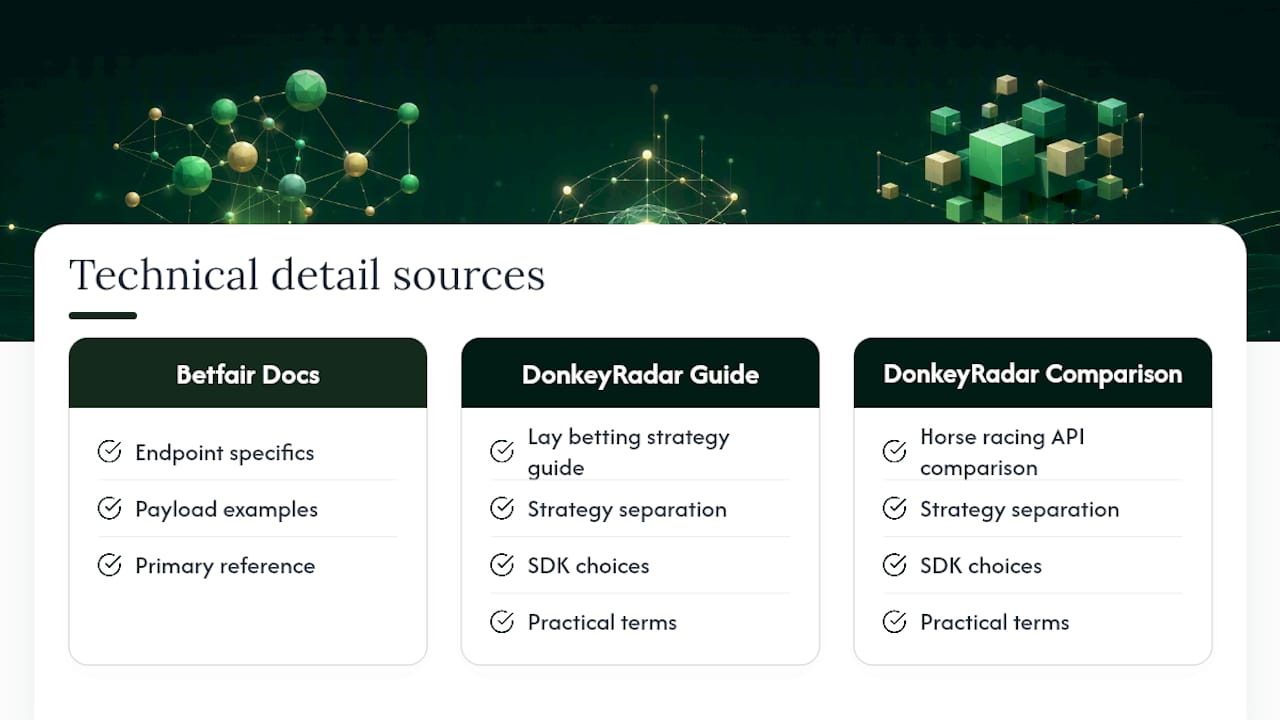
For endpoint specifics and payload examples, Betfair’s own developer documentation is the primary reference. DonkeyRadar’s lay betting strategy guide and horse racing API comparison cover strategy separation and SDK choices in more practical terms.
Sources
- Navigation Data For Applications — Betfair developer docs
- Betfair status / API reference (endpoints)